

Your spreadsheet feels free. It is not.
Every lead you track by hand carries a hidden cost. A missed follow-up here. A forgotten enquiry there. A deal that quietly goes cold while the file sits open in another tab.
Most Indian small businesses never add up that cost. This post does.
We will compare a CRM against a spreadsheet the way it actually matters. Not on features. On money, time, and lost deals. By the end you will know exactly what manual tracking costs you, and whether it is time to switch.
What is the difference between a CRM and a spreadsheet?
A spreadsheet is a passive list. It stores what you type. It does nothing on its own.
A CRM is an active system. It stores your leads too. But it also reminds you to follow up, tracks every conversation, and shows you where each deal stands.
Put simply: a spreadsheet waits. A CRM works.
That single difference is where the cost hides. Let us break it down.
The hidden cost of tracking leads in a spreadsheet
When we built NeerSoft CRM, we spoke to dozens of small business owners across India. Almost all of them started on Excel. And almost all of them were losing money in the same four ways, without realising it.
Here is where the money leaks.
1. The cost of missed follow-ups
A spreadsheet never reminds you of anything. It cannot.
So follow-ups depend on memory. And memory fails. A lead asks for a quote on Monday. You mean to call Thursday. Thursday gets busy. By the next week, they have gone with someone who called back faster.
That lost customer had a value. Multiply it across a month of forgotten follow-ups. That is real revenue, gone quietly.
Follow-up speed is often the whole game. A tool that reminds you beats a tool that waits every single time.
2. The cost of your time
Manual entry is slow. Every lead gets typed by hand. Every update is another trip back to the file.
Say you spend thirty minutes a day on data entry and hunting for the right row. That is over ten hours a month. Time you could spend selling, not sorting cells.
We covered this in detail in our post on how automation saves you around ten hours every week. The spreadsheet is a big part of where those hours go.
3. The cost of chaos when your team grows
One person on a spreadsheet is fine. Two is a problem.
The moment a colleague opens the same file, versions split. Rows get overwritten. Notes vanish. You end up with “leads_final_v3.xlsx” and nobody sure which one is current.
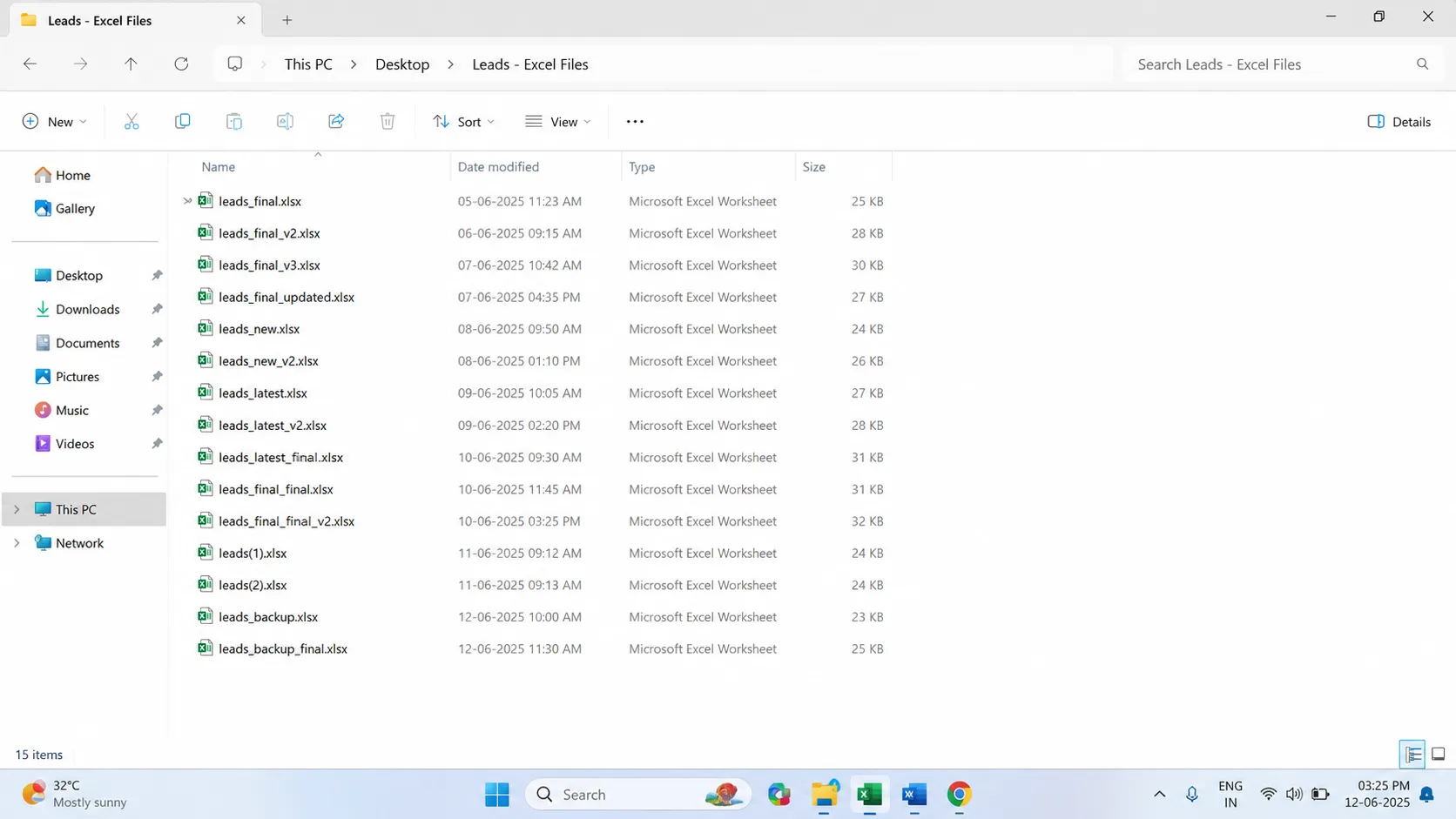
Now data gets lost. Leads fall through gaps between team members. The confusion itself has a cost, and it grows with every new hire.
4. The cost of flying blind
A spreadsheet cannot tell you much. How many leads came in last month? Which source converts best? Where are deals getting stuck?
To answer those, you build formulas by hand. Most owners never do. So they decide on gut feel instead of numbers.
That means wasted ad spend on channels that do not work. And missed chances to double down on the ones that do. Bad data is expensive.
CRM vs Spreadsheet: a side by side comparison
Here is the honest comparison. Spreadsheets are not useless. They win on a few things. But look at where it matters.
| Factor | Spreadsheet | CRM |
|---|---|---|
| Upfront cost | Free | Low monthly fee |
| Follow-up reminders | None | Automatic |
| Time spent on entry | High | Low |
| Team collaboration | Breaks quickly | Built for it |
| Lead history | Lost | Saved per lead |
| Reporting | Manual, rarely done | Instant dashboards |
| Real cost at scale | High and hidden | Low and visible |
The spreadsheet wins the first row. The CRM wins every row that touches growth.
That is the trade. Free today, or profitable tomorrow.
When does a spreadsheet start costing more than a CRM?
There is a tipping point. Below it, a spreadsheet is fine. Above it, you are losing money by staying.
You have crossed it when any of these are true:
- You handle more than 20 to 30 active leads at once
- More than one person needs the same lead data
- You have lost at least one deal to a slow follow-up
- You cannot say which marketing channel brings your best leads
- You spend real hours each week just updating the file
Notice these are the same signals many owners ignore. They are also classic CRM mistakes small businesses make. The cost was always there. They just could not see it.
Why the switch is easier than you think
Most owners stay on spreadsheets for one reason. Fear of the switch.
They picture messy migration, weeks of setup, a tool too complex to use. That fear costs them more than the spreadsheet does.
The reality is simpler. A clean spreadsheet exports to a CSV file. That file imports straight into a CRM. Your leads move over in minutes. Nothing is lost.
This is exactly why we built NeerSoft CRM to be lightweight and affordable. It is made for Indian small businesses and agencies that have outgrown the spreadsheet, but do not want heavy, costly enterprise software.
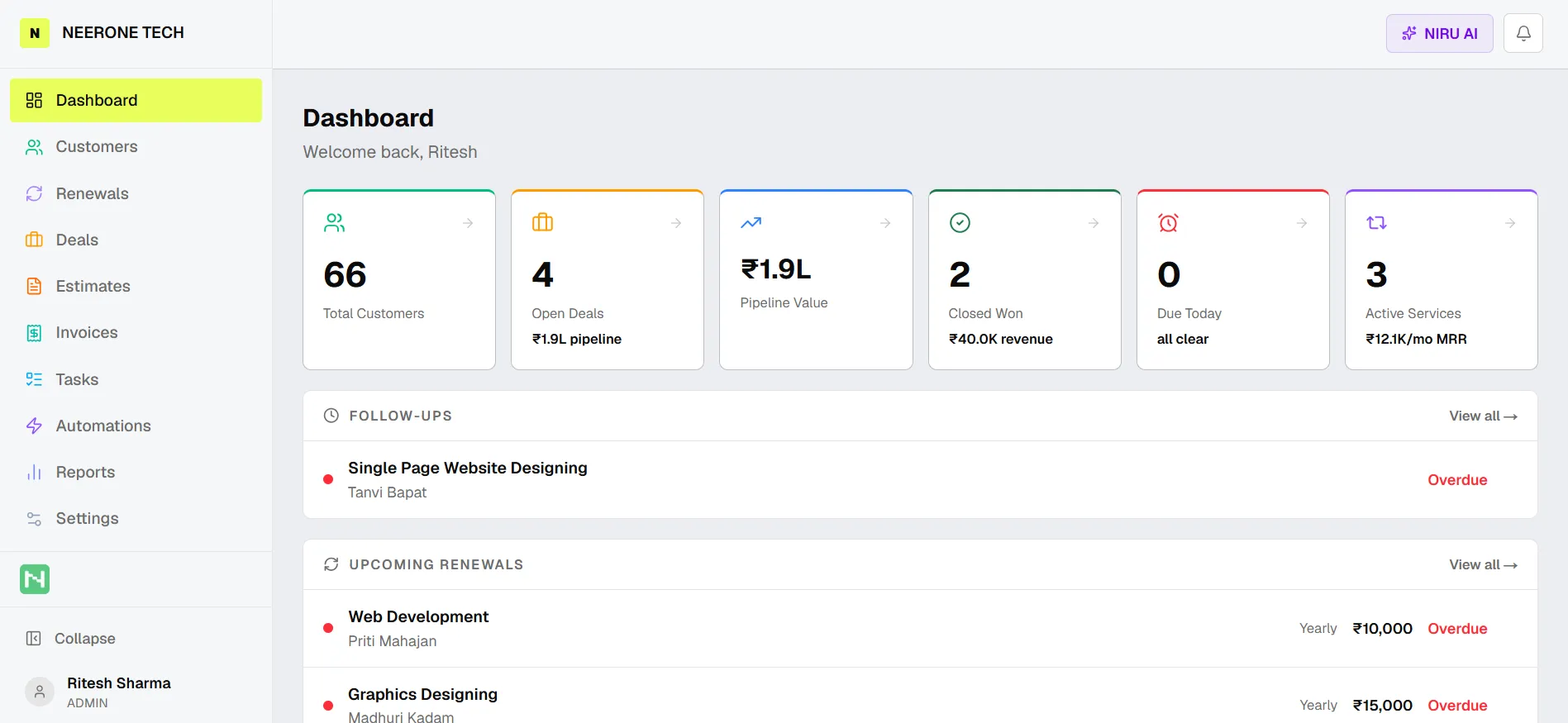
You can see how it all fits together in our complete CRM guide. And the pricing is straightforward, with no surprises.
The bottom line
A spreadsheet is free to buy. It is not free to use.
The cost shows up in missed follow-ups, lost hours, team chaos, and blind decisions. You just never see it on an invoice.
A CRM turns that hidden cost into a small, visible fee. And it hands you back the deals, the time, and the clarity the spreadsheet was quietly taking.
Start on a spreadsheet. But the day the signs appear, switching is not a cost. It is how you stop the leak. It is also how good businesses scale faster.
Frequently Asked Questions
Is a CRM really better than a spreadsheet for small business?
For very small lead volumes, a spreadsheet works. Once you pass 20 to 30 active leads, or add a second team member, a CRM saves more than it costs. It adds follow-up reminders, lead history, and reporting that a spreadsheet cannot.
What is the real cost of using a spreadsheet for leads?
The cost is hidden, not zero. It shows up as missed follow-ups that lose deals, hours lost to manual entry, errors from version conflicts, and poor decisions from a lack of reporting. These usually cost far more than a CRM subscription.
Can I move my data from a spreadsheet to a CRM easily?
Yes. A structured spreadsheet exports to a CSV file, which imports directly into most CRMs. The switch takes minutes and your existing leads are not lost.
When should a small business switch from a spreadsheet to a CRM?
Switch when you handle more than 20 to 30 active leads, need more than one user, have lost a deal to a slow follow-up, or cannot track which channels convert. Any two of these signals mean the spreadsheet is costing you money.
